For groups that meet in person

Your group, all in one place.

The website, the hall calendar, the members list and the treasurer’s book. Big buttons and plain words, made to run from a phone.

No charge for 14 days. Cancel any time before then.

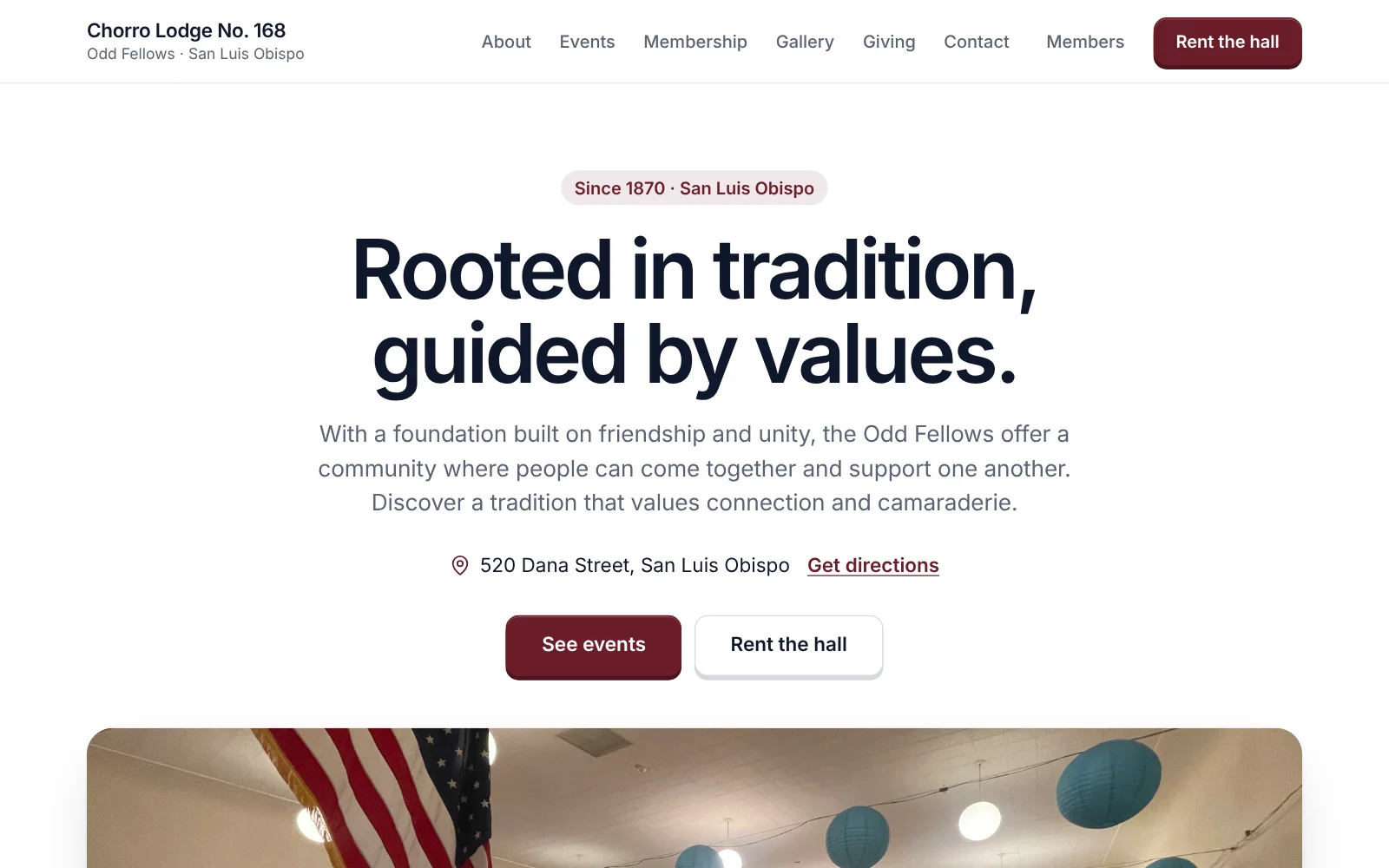
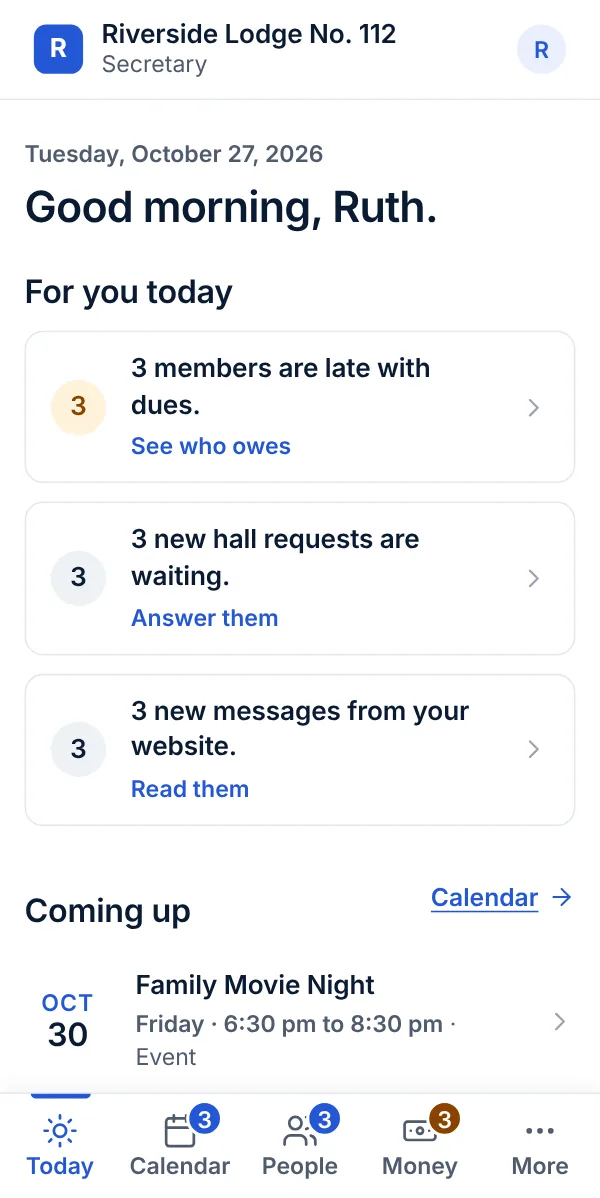
A lodge's website made with Openlight: its name, a big headline, and a photo of its hallThe Today screen on a phone: a greeting, then what is waiting for you today, such as members late with dues and new hall requests

Not a website. The whole back office.

Most groups run on one volunteer’s memory, a paper calendar and a spreadsheet. Openlight puts all of it in one place that the next officer can pick up.

Be found

A website that looks cared for, stays up to date, and shows up when a neighbor looks for a hall, an event or a group to join.

Your group is also in the Openlight directory, where neighbors look for a group to join or a hall to rent. It comes with the price. Look for your group
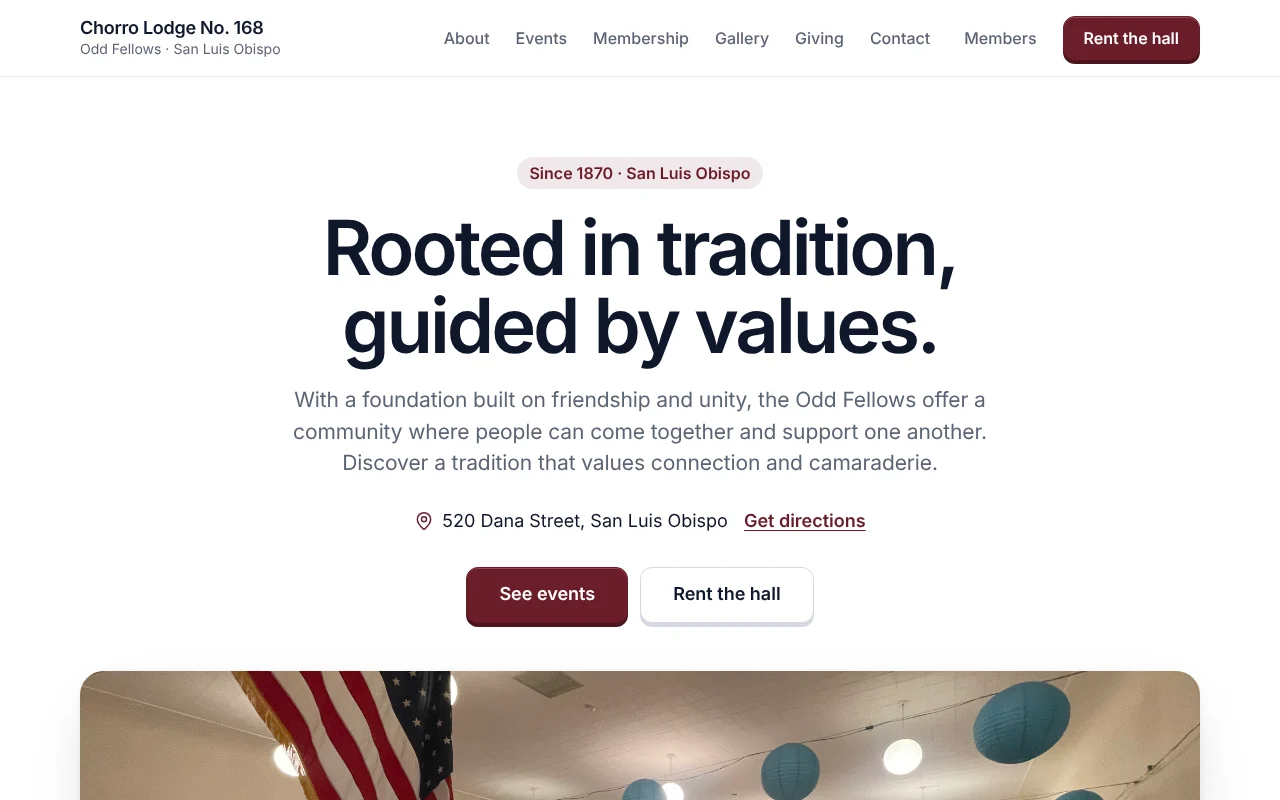
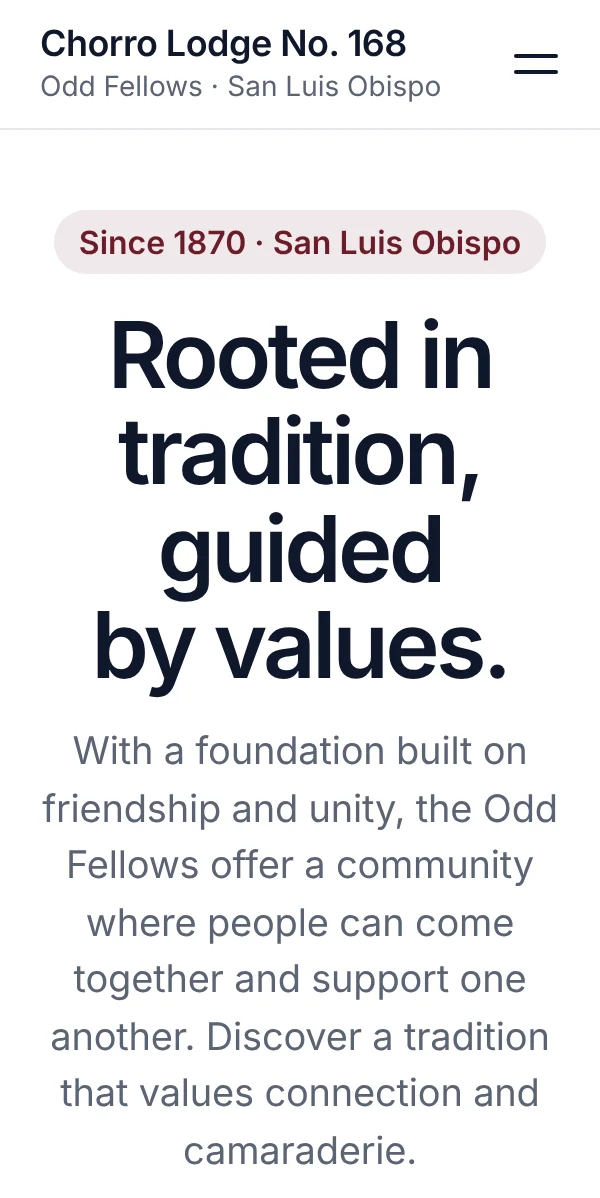
The front page of a lodge’s website: its name, a welcome, a photo of the hall and a Rent the hall buttonThe same front page on a phone
A real Openlight website: Chorro Lodge No. 168, San Luis Obispo. Visit it
  • Your websiteYour front page, your story and how to reach you, in a classic, elegant look with your own color, dark or light. It reads well on a phone.
  • EventsAdd a dinner or a dance once and it is on your website. A monthly dinner repeats by itself.
  • Facebook postingEach new event goes to your Facebook Page on its own.
Run the hall

Renters see your rooms, your prices and your open dates, and ask at any hour. You answer from your phone, and the deposit comes by card.

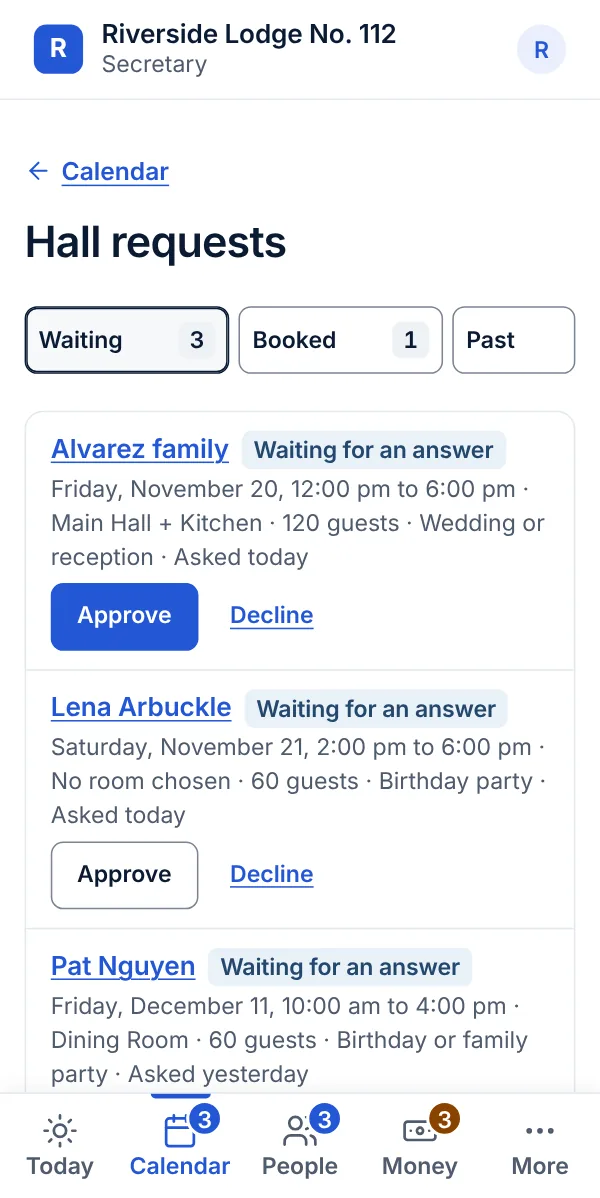
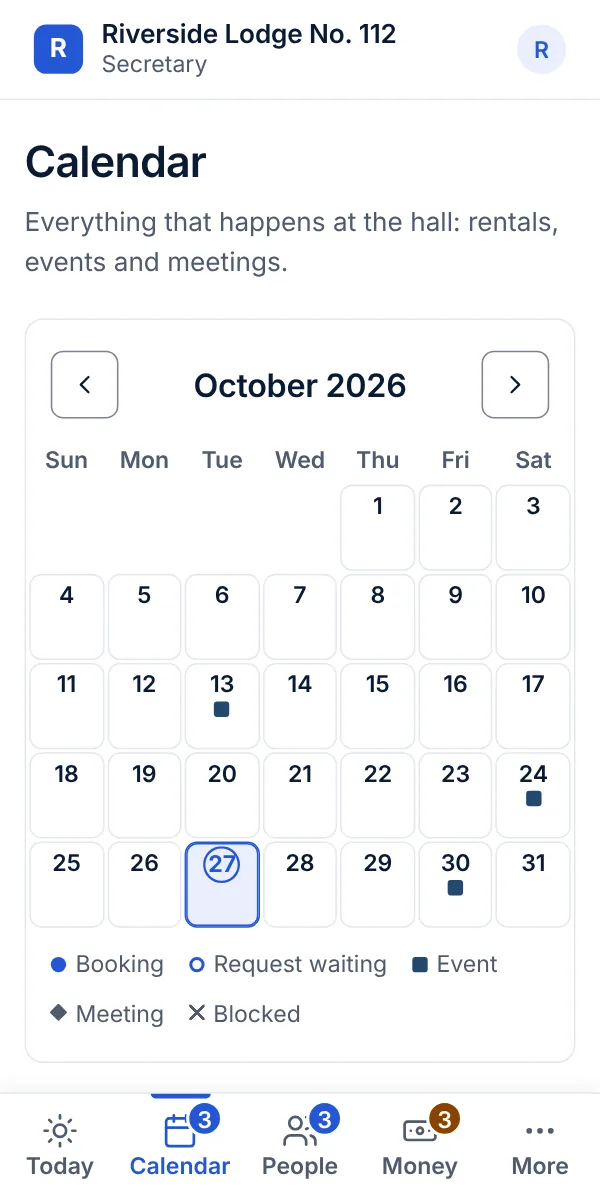
The calendar on a phone: one month, with a mark on each day that has a booking, a request, an event or a meetingHall requests on a phone: the requests waiting for an answer, each with who asked, the day, the rooms, an Approve button and a way to decline
The calendar, and a hall request waiting for an answer.
  • Rooms and pricesA page for each room: photos, how many it holds and what it costs, with member and nonprofit prices if you have them.
  • Open datesA calendar on every room shows which days are free before anyone asks.
  • RequestsA renter fills in a short form. You approve or decline from your phone, or right from the email.

Run the membership and the money

One list of people, one book for the money, and the small jobs that eat a secretary’s evenings, done from one place.

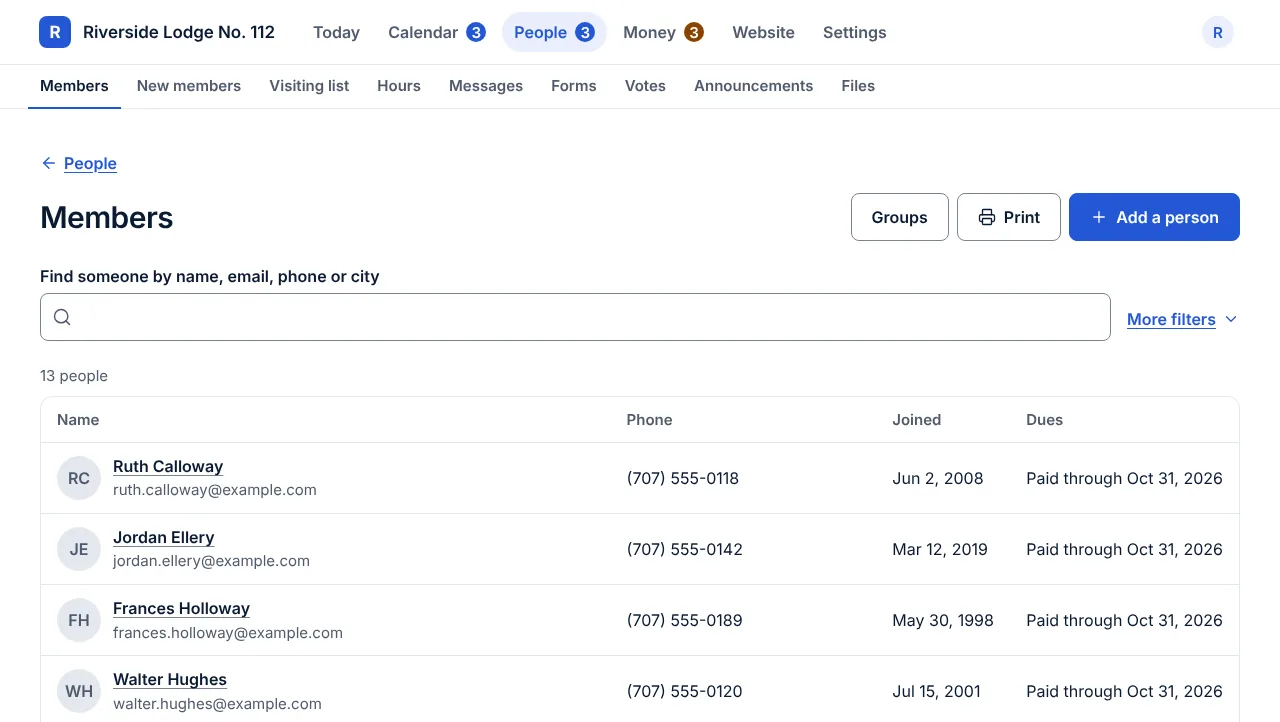
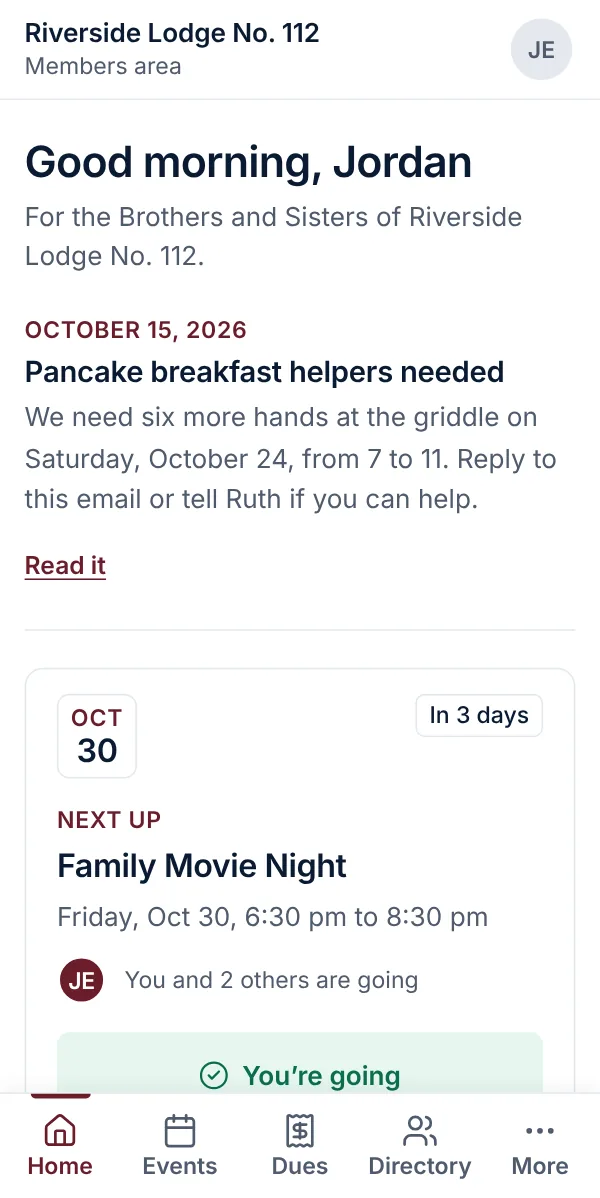
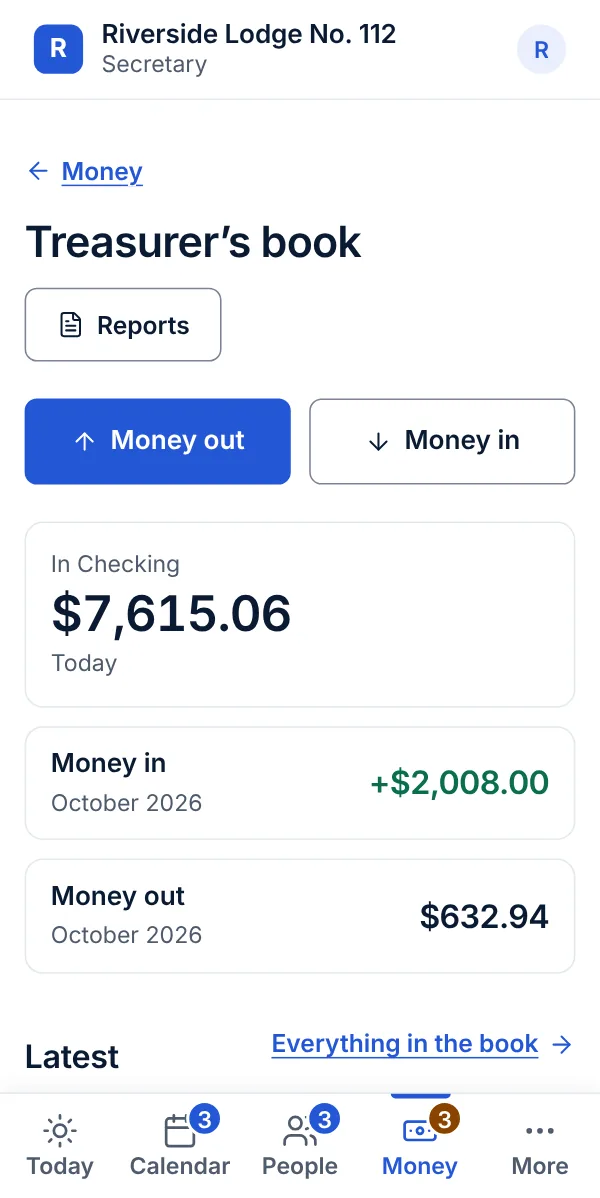
The members list on a laptop: a search box, then a table of names with email, phone, the date each joined and where their dues standThe members area on a phone: a greeting, the next event with a button to say you are going, and when the next dues are dueThe treasurer’s book on a phone: the balance in all accounts, money in this month, and the latest entries
The members list, and the treasurer’s book.The members area, and the treasurer’s book.
  • Members listEveryone in one private list, with groups and committees. Only officers see it.
  • New membersA page about joining and a form to ask. Each person is followed step by step, with reminders, so nobody is forgotten.
  • Members areaMembers sign in with their email for the directory, members-only pages, minutes and files.

The pictures are the real product, shown with sample names and numbers.

It pays its way

Bought one by one, a website builder, hall booking and members software typically cost $1,116 to $4,968 a year.

Openlight is all of it and more, for $1,500 a year. No per-person fees, and no cut of what you take in.

See pricing

If you rent out a hall

When renters can see your open dates and ask online, a handful of rentals covers the price. Try your own numbers.

If you have no hall

  • Dues come in without chasing. A reminder goes out by itself, and a member pays by card in a minute. A check or cash is quick to mark as paid.
  • Nobody is forgotten. Each person who asks about joining is followed step by step. Members who need a visit or a call are on one list.
  • Evenings back for your secretary. One list of people, one calendar and one book. Nothing is typed twice or kept on one person’s computer.

Work it out with your own numbers

12
$400
Your rentals bring in
$4,800 a year
Openlight, billed yearly, is $1,000
$3,800 left for you

These are your numbers, not ours. Openlight never takes a cut of a rental. Card fees go to Stripe.

How you start

Start free with Starter in a few minutes. Or take Everything and we set it up with you.

  1. Start free

    Answer a few questions about your group and your website is online in minutes, free with Starter. Add what you need later.

  2. Bring your group in

    Add your rooms and prices, your members from a spreadsheet, your web address and card payments to your own bank. We help with any of it, or do it with you.

  3. Your officers take over

    From then on a secretary or a treasurer runs it from a phone, a few minutes at a time. We are here when you need help.

Questions your board will ask

Do we need a computer person?

No. If your secretary can send an email, they can run this. We look after the hosting, the security and the updates.

What happens when officers change?

The outgoing secretary hands over to the new one in a couple of minutes. Nothing breaks and nothing is lost.

How long does it take?

Starter puts your website online the day you sign up. With Everything, we set it up with you, and it is live within 30 days.

Does Openlight take a cut?

Never. Deposits, dues and donations go straight to your own bank account. Stripe, the card company, charges its usual card fee.

We have no hall. Is this for us?

Yes. Start free with Starter, and add only what you use: skip Space rentals, and add Members and dues or Officer tools when you want them.

Can we cancel?

Yes, any time. There is no setup fee and no minimum. Your add-ons keep working until the end of the month or year you paid for, and then you are on Starter, which is free. Your website stays online.

See every question

Try it free for 14 days.

Answer a few questions and see your own group’s website in minutes. Nothing is charged for 14 days, and you can cancel any time before then.

hello@openlight.one